 Sheru Bhai Photo
Home › Sheru Bhai Prompt
Sheru Bhai Prompt: Copy-Ready Prompts
Paste one of these into ChatGPT, Gemini or any image AI that accepts a photo, attach your selfie, and change the scene words to taste.
Example pictures on this page were made with AI using made-up people, not real customers.
Each prompt has three parts: who you are (your attached selfie), who Sheru Bhai is (the same description every time, so the lion stays consistent), and the scene. Keep the first two parts, change the third. New to the character? Read who is Sheru Bhai first.
Base description of Sheru Bhai
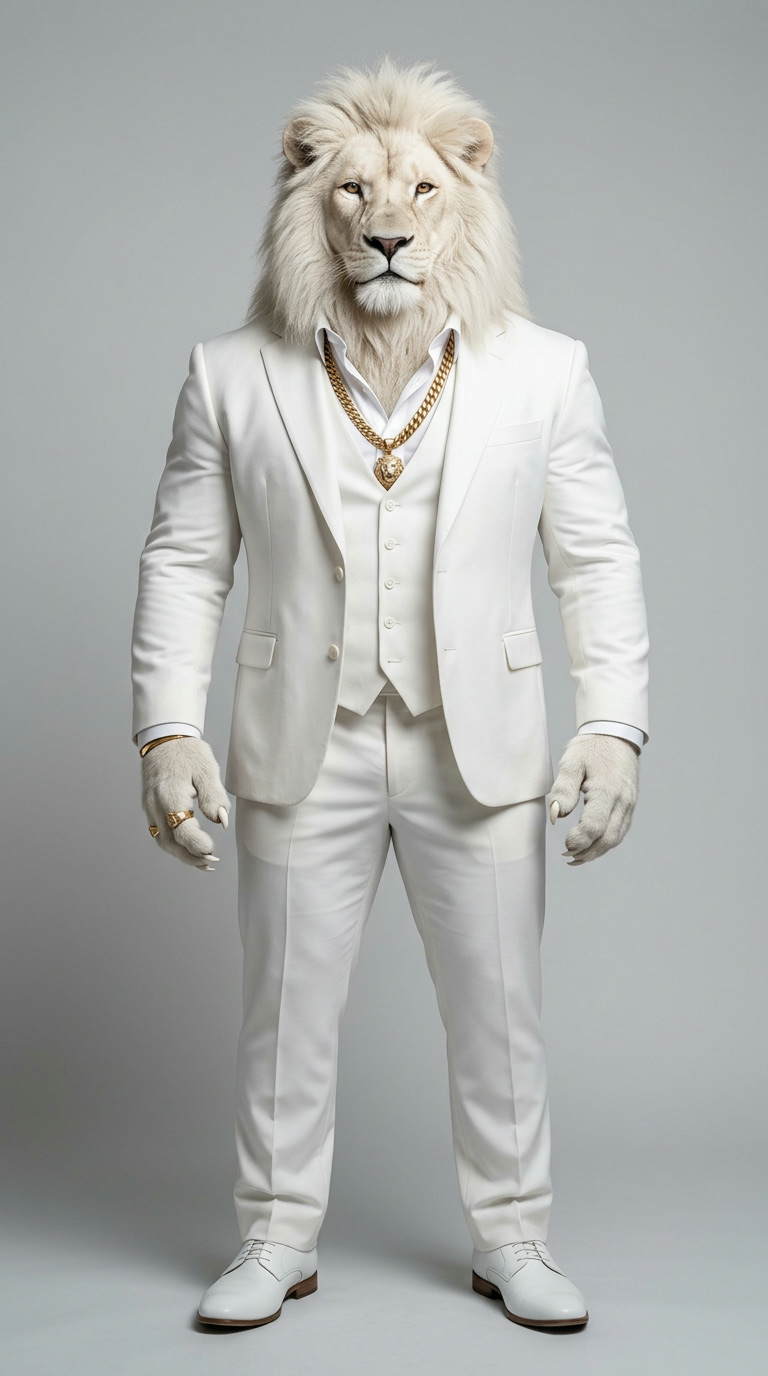
Use this sentence in every prompt so the lion looks the same across pictures:
Sheru Bhai: a large, muscular white lion with a full white mane, standing upright like a man, wearing a tailored white suit, white shirt open at the collar and a thick gold chain, calm confident expression.
Paste this sentence word for word, every time. When you change it ("big lion", "white tiger", "lion man"), the AI invents a new character and the pictures stop matching. If your AI lets you attach more than one image, attach the reference picture above as a second image as well — a picture keeps the lion far more consistent than words alone.
Classic suit portrait
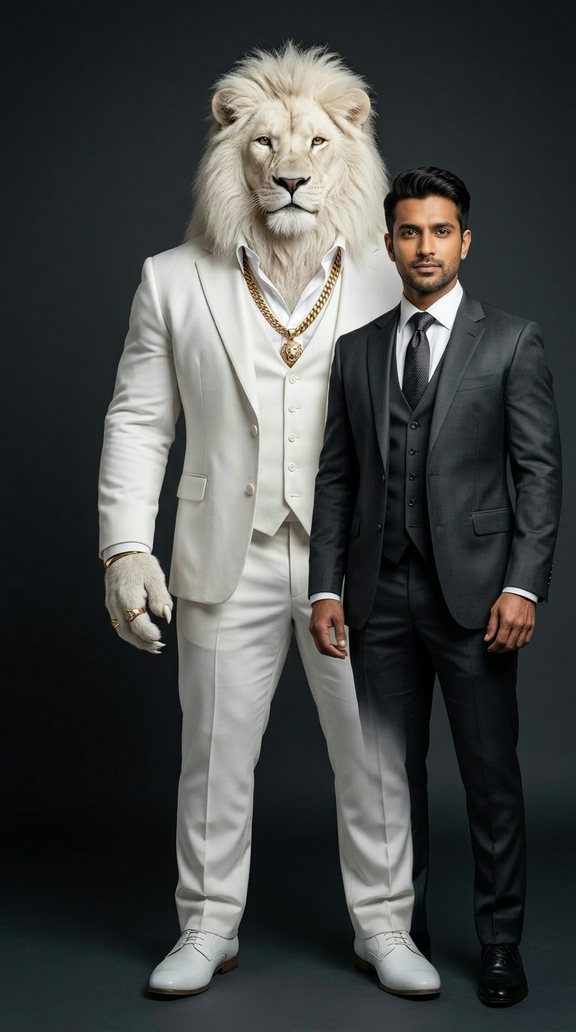
Using the person in the attached photo, create a realistic portrait photo of them standing shoulder to shoulder with Sheru Bhai: a large, muscular white lion with a full white mane, standing upright like a man, wearing a tailored white suit, white shirt open at the collar and a thick gold chain, calm confident expression. Both look at the camera. Soft studio light, dark grey background. Keep the person's face exactly as in the photo. Vertical 9:16.
Best for: a plain, front-facing selfie in a shirt or jacket. This scene is the easiest one, so start here if you are new.
What usually goes wrong: the lion stands stiffly with straight, wooden legs, or the two of you stand too far apart. Add "arm around the person's shoulder" if you want them closer. If the light on your face does not match the studio light, add "same soft light on both faces".
To change the background, replace only "Soft studio light, dark grey background" — for example "luxury hotel lobby, warm light".
Make a Classic Suit photo with Sheru Bhai →
Bike ride
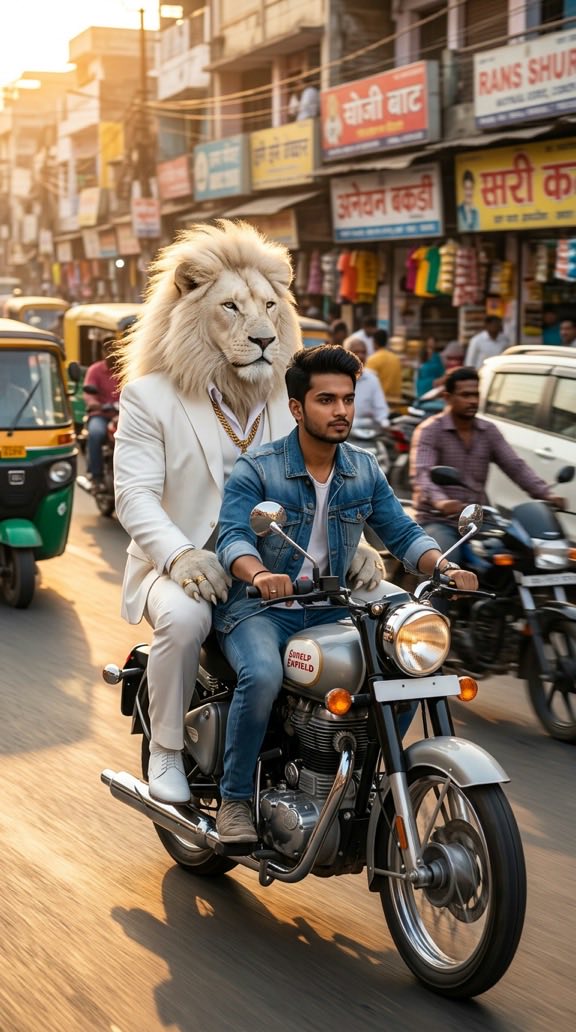
Using the person in the attached photo, create a realistic photo of them riding a motorcycle down a busy Indian city road at golden hour, with Sheru Bhai (a large white lion in a tailored white suit and thick gold chain) sitting behind them on the bike, wind in his mane. Motion blur in the background. Keep the person's face exactly as in the photo. Vertical 9:16.
Best for: a selfie with your face looking slightly to one side, as if you are watching the road. Casual clothes work best.
What usually goes wrong: the lion floats above the seat, his legs disappear, or your face is turned too far and stops looking like you. Add "Sheru Bhai sits firmly on the seat, his feet on the footrests" and "the rider's face is clearly visible". If the bike looks strange, name a simple type such as "a classic Indian motorcycle".
To change the background, edit "a busy Indian city road at golden hour" — try "a mountain highway" or "Marine Drive at night".
Make a Bike Ride photo with Sheru Bhai →
Shaadi entry
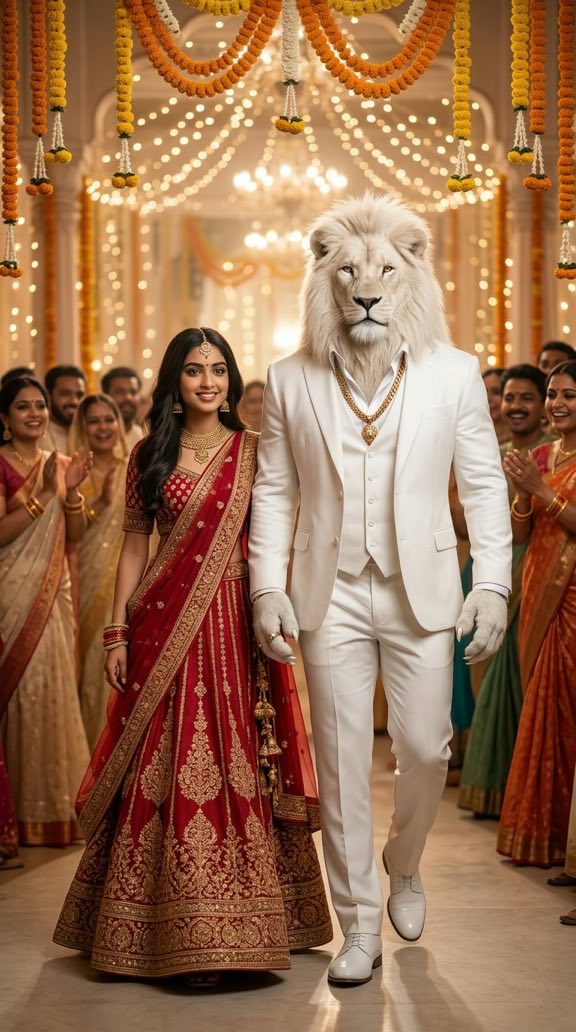
Using the person in the attached photo, create a realistic photo of them walking into a decorated Indian wedding hall next to Sheru Bhai (a large white lion in a tailored white suit and thick gold chain). Marigold garlands, warm fairy lights, guests cheering in the background. Dress the person in festive Indian wedding clothes. Keep the person's face exactly as in the photo. Vertical 9:16.
Best for: a selfie where you are smiling. The prompt already dresses you in wedding clothes, so your own outfit does not matter much.
What usually goes wrong: the AI changes your face to match the wedding look, or puts too many guests in front of you. Keep "keep the person's face exactly as in the photo", and add "guests stay softly blurred in the background". If the lion's suit turns into a sherwani, add "Sheru Bhai keeps his white suit".
To change the setting, replace "a decorated Indian wedding hall" with "a baraat on the street with a band" or "a mandap at night".
Make a Shaadi Entry photo with Sheru Bhai →
Chai tapri
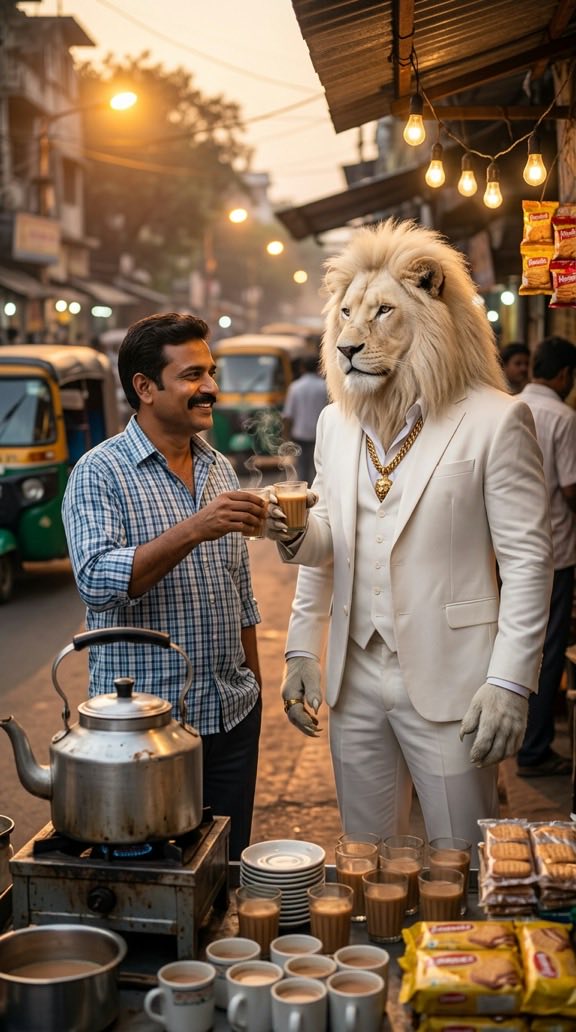
Using the person in the attached photo, create a realistic photo of them sharing cutting chai with Sheru Bhai (a large white lion in a tailored white suit and thick gold chain) at a roadside chai stall, small glasses in hand, steam rising, evening street lights. Relaxed, friendly mood. Keep the person's face exactly as in the photo. Vertical 9:16.
Best for: a relaxed, natural selfie. Everyday clothes fit this scene better than a suit.
What usually goes wrong: the hands. Glasses float, fingers merge, or the lion's paw holding the glass looks odd. Add "each holds one small glass of chai in one hand". Night scenes can also make faces too dark — add "warm light from the stall on both faces".
To change the place, edit "a roadside chai stall" and "evening street lights" — for example "a chai stall at a railway station" or "a morning tapri in the rain".
Make a Chai Tapri photo with Sheru Bhai →
Cricket match
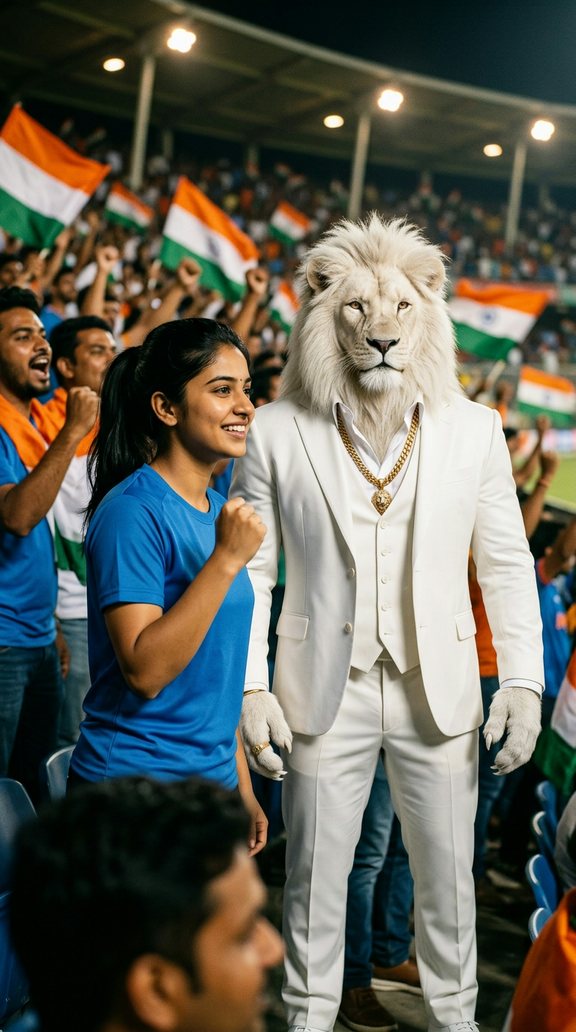
Using the person in the attached photo, create a realistic photo of them in a packed cricket stadium stand next to Sheru Bhai (a large white lion in a tailored white suit and thick gold chain), both cheering, floodlights and crowd behind them. Keep the person's face exactly as in the photo. Vertical 9:16.
Best for: a cheerful selfie. If you want a jersey, add "the person wears a blue cricket jersey" to the prompt.
What usually goes wrong: the crowd steals the picture, the lion's raised arm covers your face, or floodlights blow out the faces. Add "both faces fully visible" and "crowd softly blurred". If the AI adds real team logos or names, add "no logos, no text".
To change the moment, replace "a packed cricket stadium stand" with "a gully cricket match in a lane" or "on the pitch holding a bat".
Make a Cricket Match photo with Sheru Bhai →
Diwali night
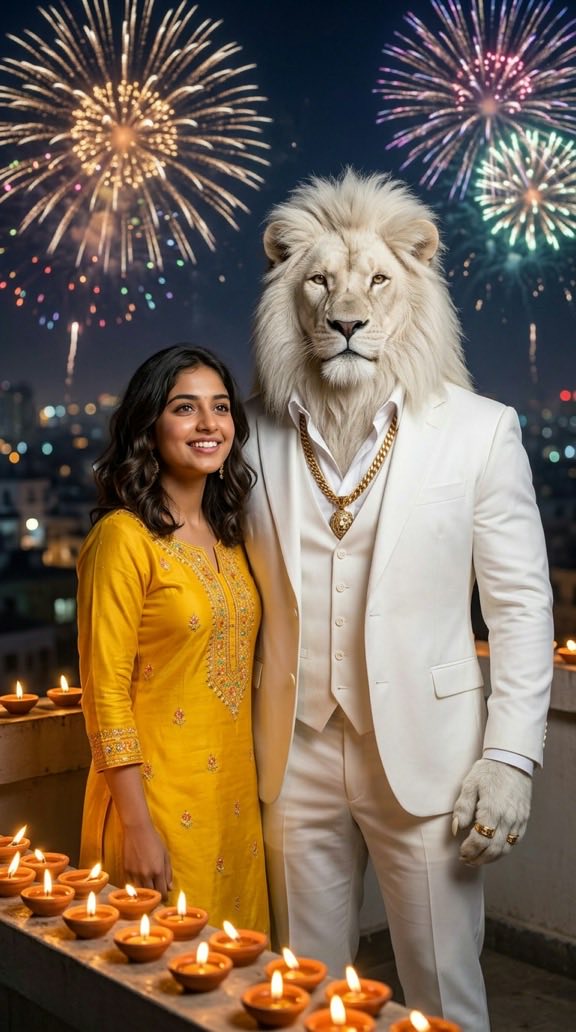
Using the person in the attached photo, create a realistic photo of them on a rooftop on Diwali night next to Sheru Bhai (a large white lion in a tailored white suit and thick gold chain), rows of glowing diyas in front of them and fireworks in the sky. Warm golden light on both faces. Keep the person's face exactly as in the photo. Vertical 9:16.
Best for: a selfie in good light. Night scenes make faces darker, so start with a bright photo.
What usually goes wrong: the fireworks are lovely but your face is in shadow, or the diyas cover your hands and clothes. The prompt already says "warm golden light on both faces" — keep it. If the picture is too busy, change "rows of glowing diyas" to "a few diyas on the ledge".
To change the setting, swap "on a rooftop" for "outside a temple" or "in a courtyard with rangoli".
Make a Diwali Night photo with Sheru Bhai →
Open jeep
Using the person in the attached photo, create a realistic photo of them standing with Sheru Bhai (a large white lion in a tailored white suit and thick gold chain) in an open-top jeep on a dusty road, hero-entry pose, low camera angle, dramatic sky, dust kicking up behind the wheels. Keep the person's face exactly as in the photo. Vertical 9:16.
Best for: a confident selfie looking straight at the camera. Sunglasses look great here, but leave them off your selfie and add "the person wears aviator sunglasses" to the prompt instead.
What usually goes wrong: the jeep cuts off the lion's legs in odd places, or the low angle makes faces look stretched. Add "both visible from the waist up" if bodies look strange. If the dust hides you, change it to "light dust".
To change the background, replace "a dusty road" and "dramatic sky" with "a village road at sunset" or "a desert at noon".
Make an Open Jeep photo with Sheru Bhai →
Gym bros
Using the person in the attached photo, create a realistic photo of them working out with Sheru Bhai (a large white lion in a white shirt with the sleeves rolled up, jacket off, thick gold chain) in a modern gym, the person lifting dumbbells while Sheru Bhai spots them, bright gym lighting, motivated mood. Keep the person's face exactly as in the photo. Vertical 9:16.
Best for: a selfie with your face clearly lit. Your body type is kept from the photo, so a chest-up selfie is enough.
What usually goes wrong: the AI makes you much more muscular than you are, or the dumbbells and the lion's paws tangle. Add "keep the person's body type as in the photo", and "one dumbbell in each hand". If the lion's face gets lost behind your arms, add "Sheru Bhai stands behind and to the side".
To change the workout, swap "lifting dumbbells" for "bench press" or "boxing pads".
Make a Gym Bros photo with Sheru Bhai →
Tips that make prompts work better
- Attach the selfie first, then paste the prompt in the same message.
- Keep "keep the person's face exactly as in the photo" in every prompt. Without it, many AIs change your face.
- Say "vertical 9:16" so the picture fits Reels and WhatsApp Status.
- Change one thing at a time. If the result is close, edit only the scene sentence and try again.
- Fix the face first. If you do not look like yourself, try a sharper, brighter selfie before changing the prompt.
- Stay in one chat. Making several pictures in the same conversation often keeps the lion closer to the last one.
Want Sheru Bhai to move and talk? See the Sheru Bhai video prompt page for video storyboards.
Tired of trying again and again? The Sheru Bhai photo generator keeps the lion's look fixed — you just upload your selfie and pick a scene.